Shopify Integration
Last Updated: Jan 12, 2026
Shopify Integration
Blog posts are cheaper than Instagram Ads.
Texavor connects to your Shopify store to help you publish "Money Pages"—guides, comparisons, and stories that rank on Google and drive free traffic to your products.
Features
- Product Embedding: Easily link to your products.
- Multiple Blogs: Choose between your "News", "Guides", or any other blog handle you created in Shopify.
- SEO Meta Sync: We sync your Title Tag and Meta Description directly to Shopify's SEO fields.
1. Connect via OAuth
We use the secure Shopify App Protocol. You do not need to create a Private App anymore.
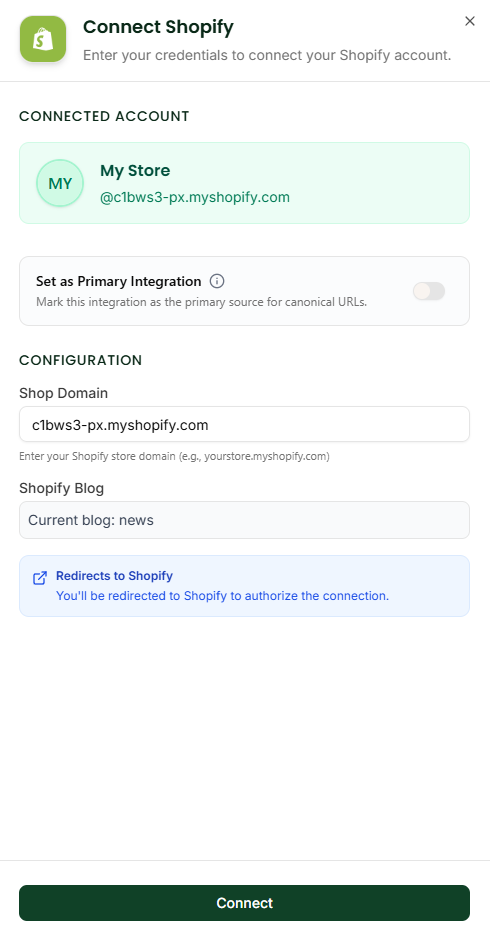
- Navigate to Integrations.
- Click Connect on the Shopify card.
- Shop Domain: Enter your
myshopify.comdomain (e.g.,suraj-store.myshopify.com). - Shopify Blog: Enter the handle of the blog you want to post to (default is
news). - Click Redirects to Shopify.
- You will be taken to your Shopify Admin to approve the "Texavor" app.
- Once approved, you will be redirected back to Texavor.
2. Publishing Workflow
When you click Deploy:
- Select [x] Shopify.
- Blog: Confirm the destination blog (e.g., "News").
- Handle: (Optional) Customize the URL ending.
- Tags: Tags will appear as Shopify Blog Tags (useful for filtering on your storefront).
FAQ
Q: Can I embed products? A: Yes. In Texavor, paste your product URL. We convert it into a standard link. Your Shopify Theme handles the rest.
Q: Does it work with Headless Shopify? A: Yes, because we write to the Storefront API backend. Your headless frontend just needs to fetch the blog data as usual.
Support & Resources
Need help publishing your content strategy?
- 📧 Email Support: hello@texavor.com
- 📚 Documentation: Browse the full guide