The Content Orchestrator
Last Updated: Jan 08, 2026
Texavor's specialized "Publish" engine treats your content like code. You push to multiple destinations, and we handle the SEO canonicals, image hosting, and formatting quirks for each platform.
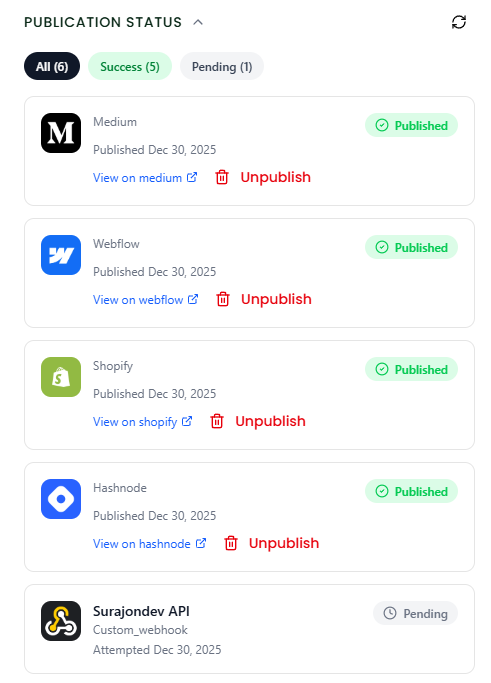
Supported Platforms
We currently support direct API integration with:
🟢 Zero-Config Platforms
- Dev.to: Native markdown support. (Tags, Collections).
- Hashnode: Full API support. (Custom Domain, Series).
- Medium: Content distribution. (Publications, Tags).
� CMS Integrations
- WordPress: Post to your self-hosted WP site.
- Shopify: Post to your e-commerce blog.
- Webflow: Post to CMS Collections.
🔴 Advanced
- Custom Webhooks: Trigger a specialized JSON payload to your own Next.js/Remix API.
The "Canonical" Strategy
A major fear of cross-posting is Duplicate Content Penalties. Texavor solves this automatically.
- Primary Destination: You select one platform (usually your own blog) as "Primary".
- Canonical Tag Injection: When we push to Dev.to and Medium, we inject
<link rel="canonical" href="YOUR_PRIMARY_URL" />. - Result: Google attributes all SEO credit to your website, even if the Dev.to article gets more views.
How to Configure
- Go to Integrations.
- Click Connect on your desired platform.
- Enter your API Key (found in your platform's developer settings).
- Detailed setup guides are available in the sidebar under "Platforms".
Publish Workflow
- Draft your article in Texavor.
- Click Publish or Schedule as per your choice.
- Select destinations (e.g., [x] My Blog, [x] Dev.to).
- Customize: You can override the title/cover image for specific platforms if needed.
- Push: Texavor publishes the content asynchronously and returns a "Live URL" for each.
Support & Resources
Need help publishing your content strategy?
- 📧 Email Support: hello@texavor.com
- 📚 Documentation: Browse the full guide