Freshness Guard
Last Updated: Jan 12, 2026
Content Decay is the silent killer of AI rankings.
LLMs (Large Language Models) are trained to prioritize the most contextually accurate answer. If your article was written in 2023 but the technology changed in 2024, the AI will stop citing you—even if you still rank #1 on Google.
Texavor's Freshness Guard monitors your published articles and alerts you when they become "Stale".
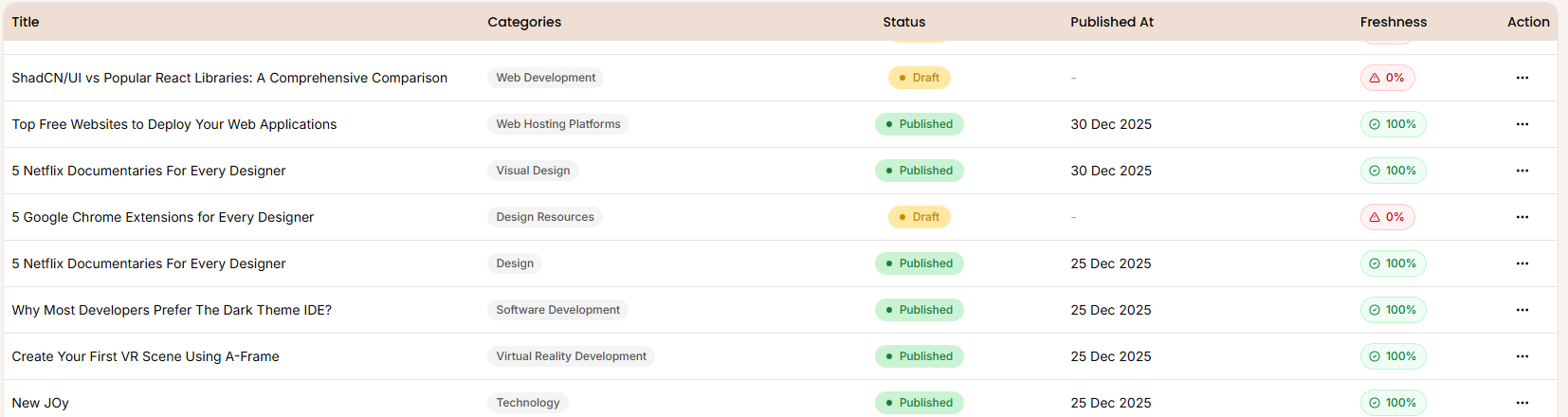
How It Works
We don't just look at the calendar date. We use tools to understand the Topic Velocity.
- Temporal Check: We flag any article older than 12 months.
- Semantic Decay Analysis: We send the article topic to an LLM to ask: "Has this topic changed significantly recently?"
- High Risk: "Best React Libraries" (Changes monthly).
- Low Risk: "History of the Printing Press" (Evergreen).
Interpreting the Freshness Score
Each article gets a score (0-100):
- 🟢 100 (Fresh): Published recently or is an Evergreen topic. No action needed.
- 🟡 80 (Evergreen): Older date, but the topic is stable. Safe.
- 🔴 0-40 (Decayed): High-risk topic + Old date. Urgent Update Required.
The "One-Click Refresh" Workflow
When an article is flagged as Decayed:
- Click "Refresh Content".
- Texavor loads the article into the editor.
- Our AI suggests specific updates based on current search data (e.g., "Update React 16 to React 19").
- Publish: We automatically update the
dateModifiedschema, signaling to Google and AI agents that this content is new.
Support & Resources
Need help publishing your content strategy?
- 📧 Email Support: hello@texavor.com
- 📚 Documentation: Browse the full guide